Echo, Jitter, and Codec Conflicts: A Systematic Approach to Diagnosing Audio Degradation in Pexip Environments
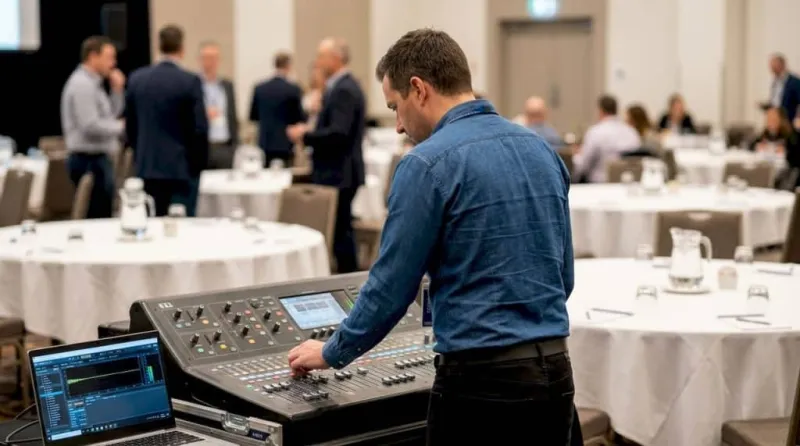
Photo: IT engineer diagnosing audio equipment in a modern enterprise conference room, via www.conferenceaudiovisual.com.au
When enterprise IT teams evaluate the health of their video conferencing infrastructure, the conversation typically gravitates toward bandwidth provisioning, firewall traversal, and video resolution. Audio quality, despite being the single most determinative factor in whether a meeting is considered successful or frustrating, tends to receive far less structured attention. The result is a slow accumulation of user complaints, declining adoption rates, and a growing perception that the conferencing platform itself is unreliable—when the actual root cause is almost always diagnosable and correctable.
This article presents a systematic framework for identifying, measuring, and eliminating the most common audio degradation issues in Pexip deployments: acoustic echo, packet jitter, and codec negotiation failures.
Why Audio Quality Is Harder to Diagnose Than Video
Video degradation is visually obvious. Pixelation, frame drops, and resolution changes are immediately apparent and easy to correlate with network telemetry. Audio problems, by contrast, tend to be intermittent, subjective, and difficult to reproduce in a controlled environment. A user who experiences echo on a Tuesday afternoon call may not be able to recreate the issue during a scheduled diagnostic session on Wednesday morning.
This intermittency creates a diagnostic gap. IT teams often close support tickets without a confirmed resolution, and users develop workarounds—muting themselves unnecessarily, switching to phone dial-in, or abandoning video calls altogether. Each of these workarounds erodes the value of the Pexip investment and compounds adoption challenges over time.
The first step in closing that gap is building a structured diagnostic posture, rather than reacting to individual complaints.
Understanding the Three Primary Audio Failure Modes
Acoustic Echo
Echo in a Pexip call typically originates from one of two sources: hardware-level acoustic echo caused by a room's physical configuration, or software-level echo cancellation (AEC) failure in an endpoint or client application.
Hardware-sourced echo occurs when microphone arrays pick up audio from speakers in the same room, creating a feedback loop that other participants hear as a delayed repetition of their own voice. This is common in conference rooms where ceiling microphones, table-mounted speakers, and room acoustics are not properly calibrated. It is also frequently observed when users join from open-plan office environments using laptop speakers rather than headsets.
Software AEC failures are more complex. Pexip Infinity processes media through its own mixing and transcoding pipeline, and when endpoints connect with incompatible or misconfigured AEC settings, the cancellation algorithms can interfere with one another rather than complement each other. This is particularly common in mixed-endpoint environments where legacy SIP hardware, WebRTC browser clients, and Microsoft Teams-connected participants are all present in the same virtual meeting room.
Diagnostic approach: In the Pexip Management API and Administrator interface, review per-participant media statistics during or immediately after a call exhibiting echo. Pay specific attention to the echo_cancellation field in endpoint capability reports and cross-reference with the physical room configuration documented in your asset inventory. For software clients, validate that AEC is enabled at the operating system level and has not been overridden by a third-party audio driver.
Packet Jitter
Jitter refers to the variation in packet arrival times across a network path. Real-time audio is extremely sensitive to jitter because audio codecs expect packets to arrive at consistent intervals. When packets arrive unevenly, the jitter buffer—a small memory buffer built into the media engine—must absorb the variation. If jitter exceeds the buffer's capacity, packets are dropped, resulting in the characteristic choppy or robotic audio quality that users describe as "cutting out."
In enterprise Pexip deployments, jitter most commonly originates from three sources: insufficient QoS (Quality of Service) policy enforcement on internal LAN or WAN segments, bandwidth contention during peak usage hours, and suboptimal routing through VPN concentrators for remote participants.
Diagnostic approach: Pexip's built-in call statistics, accessible via the Administrator interface under Calls > Call Detail Records, expose per-leg jitter measurements in milliseconds. Audio jitter values consistently above 30ms warrant investigation. For calls traversing the public internet or VPN infrastructure, deploy a synthetic monitoring tool—such as iPerf3 or a dedicated network performance monitor—to baseline jitter on the affected path at the time of day when complaints are most frequent. Compare these measurements against your QoS DSCP markings to confirm that audio traffic is being prioritized correctly through each network segment.
For Pexip Infinity deployments hosted in private data centers, also verify that the conferencing node's network interface is not experiencing receive-side packet drops due to buffer exhaustion, particularly during large multi-party calls.
Codec Negotiation Failures and Mismatches
Pexip Infinity supports a broad range of audio codecs, including Opus, G.711, G.722, G.729, and AAC-LD, among others. The platform performs codec negotiation dynamically during call setup via SDP (Session Description Protocol) exchange. When endpoints present incompatible codec preference lists, Pexip falls back to a common denominator—often G.711—which carries significantly lower audio fidelity than Opus or G.722 and consumes more bandwidth per call.
Codec mismatches are particularly prevalent in environments where SIP trunks to legacy PBX systems are involved, where endpoints have been provisioned with restrictive codec policies by a previous administrator, or where third-party conferencing bridges are connected via SIP interconnect.
Diagnostic approach: Enable SIP trace logging in the Pexip Management Node and capture the SDP offer/answer exchange for a call exhibiting poor audio quality. Review the m=audio section to identify which codec was ultimately negotiated. If G.711 is being selected in an environment where Opus or G.722 should be available, trace the restriction back to the endpoint's codec priority list or the SIP trunk configuration on your session border controller (SBC). In most cases, reordering codec preferences on the offending endpoint or SBC resolves the issue without requiring changes to Pexip's core configuration.
Building a Proactive Audio Quality Monitoring Practice
Reactive diagnostics address individual incidents, but a mature Pexip deployment requires proactive monitoring to surface audio quality trends before they generate user complaints.
Consider the following operational practices:
-
Establish MOS baselines. Mean Opinion Score (MOS) is the industry-standard metric for perceived audio quality, ranging from 1 (unacceptable) to 5 (excellent). Most enterprise-grade network monitoring platforms can calculate estimated MOS from jitter, packet loss, and latency data. Establish a baseline MOS for different call types—internal calls, external SIP calls, Teams-connected calls—and set alerting thresholds accordingly.
-
Correlate audio complaints with call records. When a user submits an audio quality complaint, cross-reference the timestamp and participant list against Pexip call detail records to extract per-leg media statistics. Over time, patterns will emerge—specific rooms, specific endpoint models, specific network paths—that point to systemic rather than incidental issues.
-
Audit endpoint firmware and client versions quarterly. Audio processing improvements are frequently delivered through firmware updates for room systems and client application updates for software endpoints. Maintaining a current firmware inventory and enforcing update cycles ensures that AEC and jitter buffer improvements reach the endpoints where they are most needed.
The Organizational Case for Prioritizing Audio
Audio quality is not a peripheral concern. Research consistently demonstrates that participants in meetings with poor audio quality report significantly lower confidence in the information exchanged, higher cognitive fatigue, and a greater tendency to disengage. For enterprises that have made substantial investments in Pexip infrastructure to support hybrid work and distributed teams, allowing audio degradation to persist unchecked is a direct threat to the ROI those investments are intended to deliver.
A structured diagnostic methodology—one that distinguishes between echo, jitter, and codec failures, applies the appropriate measurement tools to each, and feeds findings into a proactive monitoring practice—transforms audio quality from a chronic complaint into a manageable infrastructure parameter. That shift benefits users, IT teams, and the organization's broader collaboration strategy in equal measure.